Using Remix
Remix is an open-source, web-based development environment tailored for EVM smart contract development. It offers developers a comprehensive suite of tools to write, deploy, and test smart contracts in Solidity. For more information, visit Remix.
Add the Flow network to MetaMask
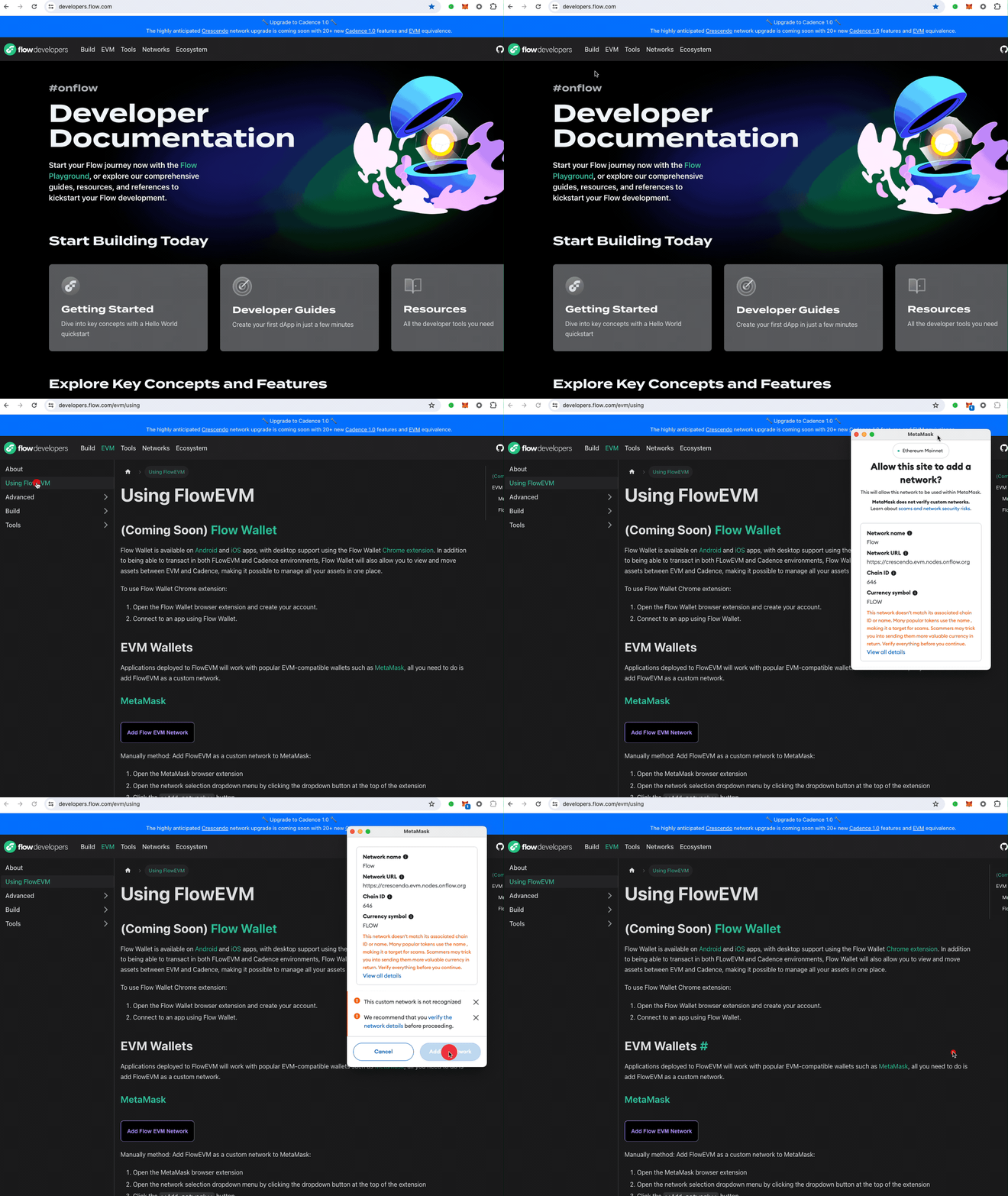
Navigate to the Using EVM page to find the button to add the Flow network information to your metamask.
Fund Your Flow Account
Navigate to the Flow Testnet Faucet to obtain FLOW tokens necessary to deploy a smart contract.
Deploy a smart contract with Remix
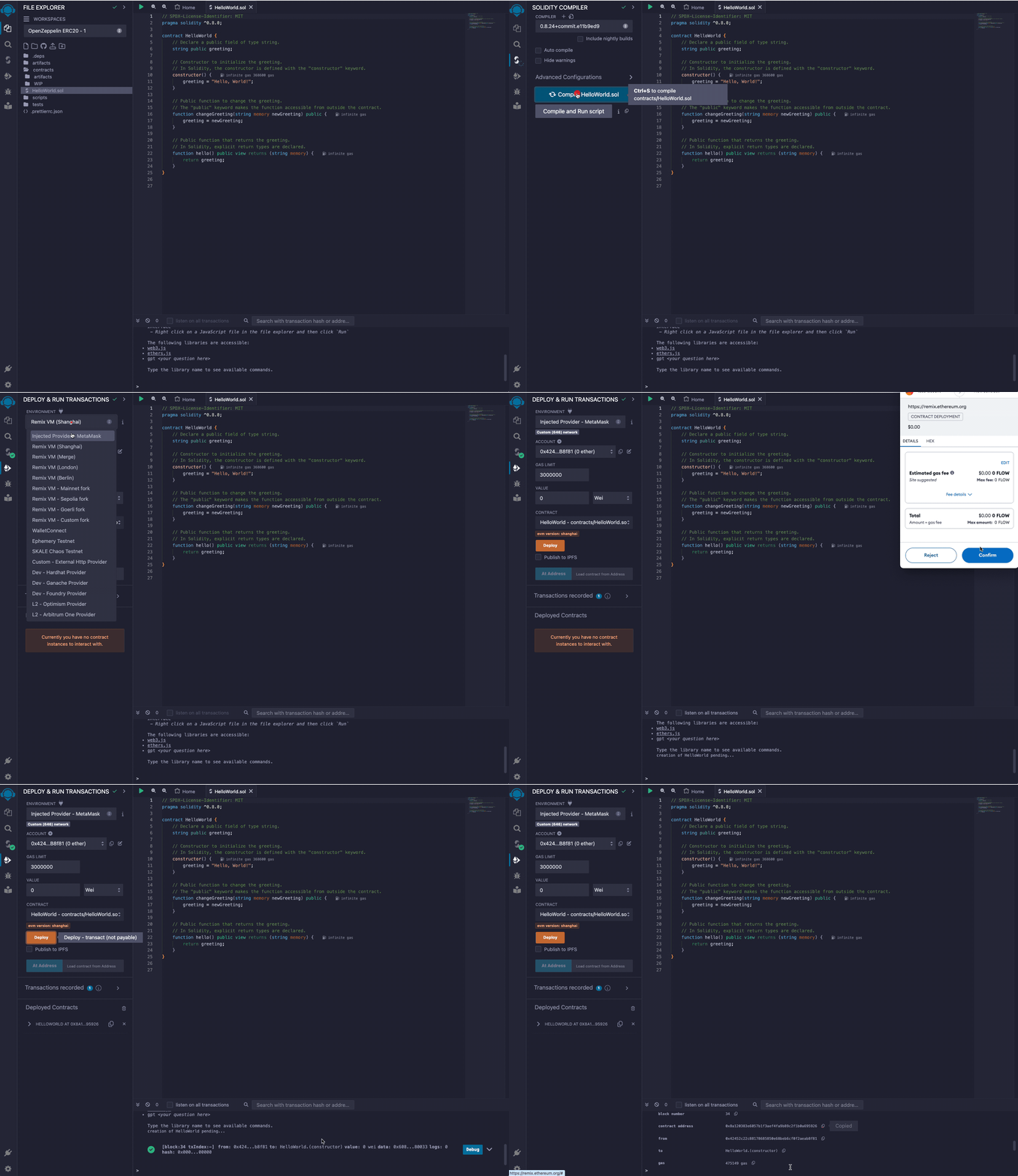
HelloWorld smart contract
_25// SPDX-License-Identifier: MIT_25pragma solidity ^0.8.0;_25_25contract HelloWorld {_25 // Declare a public field of type string._25 string public greeting;_25_25 // Constructor to initialize the greeting._25 // In Solidity, the constructor is defined with the "constructor" keyword._25 constructor() {_25 greeting = "Hello, World!";_25 }_25_25 // Public function to change the greeting._25 // The "public" keyword makes the function accessible from outside the contract._25 function changeGreeting(string memory newGreeting) public {_25 greeting = newGreeting;_25 }_25_25 // Public function that returns the greeting._25 // In Solidity, explicit return types are declared._25 function hello() public view returns (string memory) {_25 return greeting;_25 }_25}
Steps to deploy the HelloWorld smart contract
- Create a file named
HelloWorld.sol. - Select Solidity Compiler and compile
HelloWorld.sol. - Select Deploy & Run Transactions.
- Make sure to select
Injected Provider - Metamaskin Environment dropdown. - Deploy the
HelloWorldsmart contract.
Call the Deployed Smart Contract
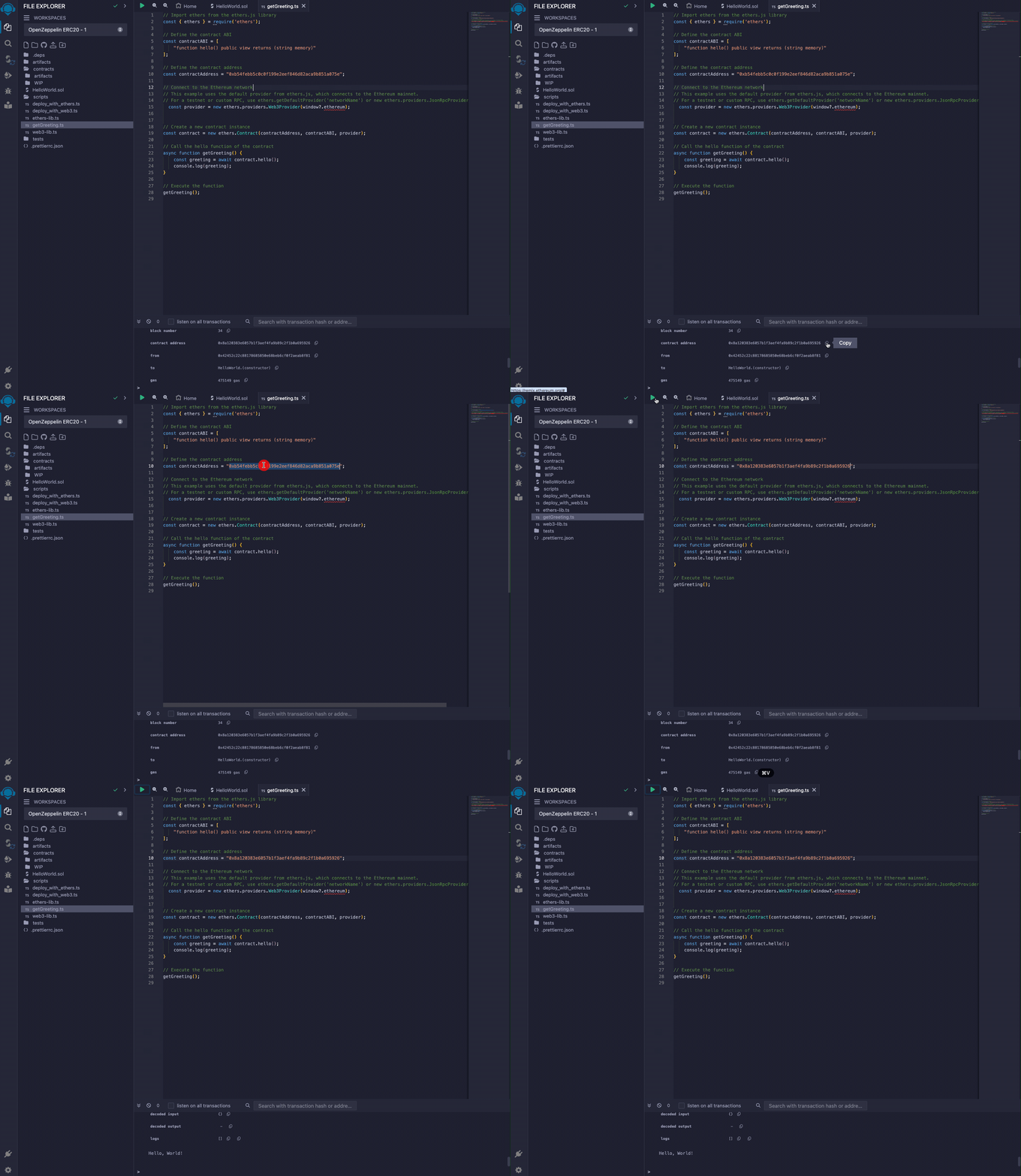
Use Ethers.js to Call the HelloWorld Smart Contract
- Create a new
get-greeting.jsfile underscripts. - Paste in the JavaScript code below.
- Click on green play button to run.
- Verify the greeting is "Hello World!".
_25// Import ethers from the ethers.js library_25const { ethers } = require('ethers');_25_25// Define the contract ABI_25const contractABI = ['function hello() public view returns (string memory)'];_25_25// Define the contract address_25const contractAddress = '0x8a120383e6057b1f3aef4fa9b89c2f1b0a695926';_25_25// Connect to the Ethereum network_25// This example uses the default provider from ethers.js, which connects to the Ethereum mainnet._25// For a testnet or custom RPC, use ethers.getDefaultProvider('networkName') or new ethers.providers.JsonRpcProvider(url)_25const provider = new ethers.providers.Web3Provider(window?.ethereum);_25_25// Create a new contract instance_25const contract = new ethers.Contract(contractAddress, contractABI, provider);_25_25// Call the hello function of the contract_25async function getGreeting() {_25 const greeting = await contract.hello();_25 console.log(greeting);_25}_25_25// Execute the function_25getGreeting();
Follow the steps below to change the greeting and retrieve the new greeting.
Updating the deployed smart contract
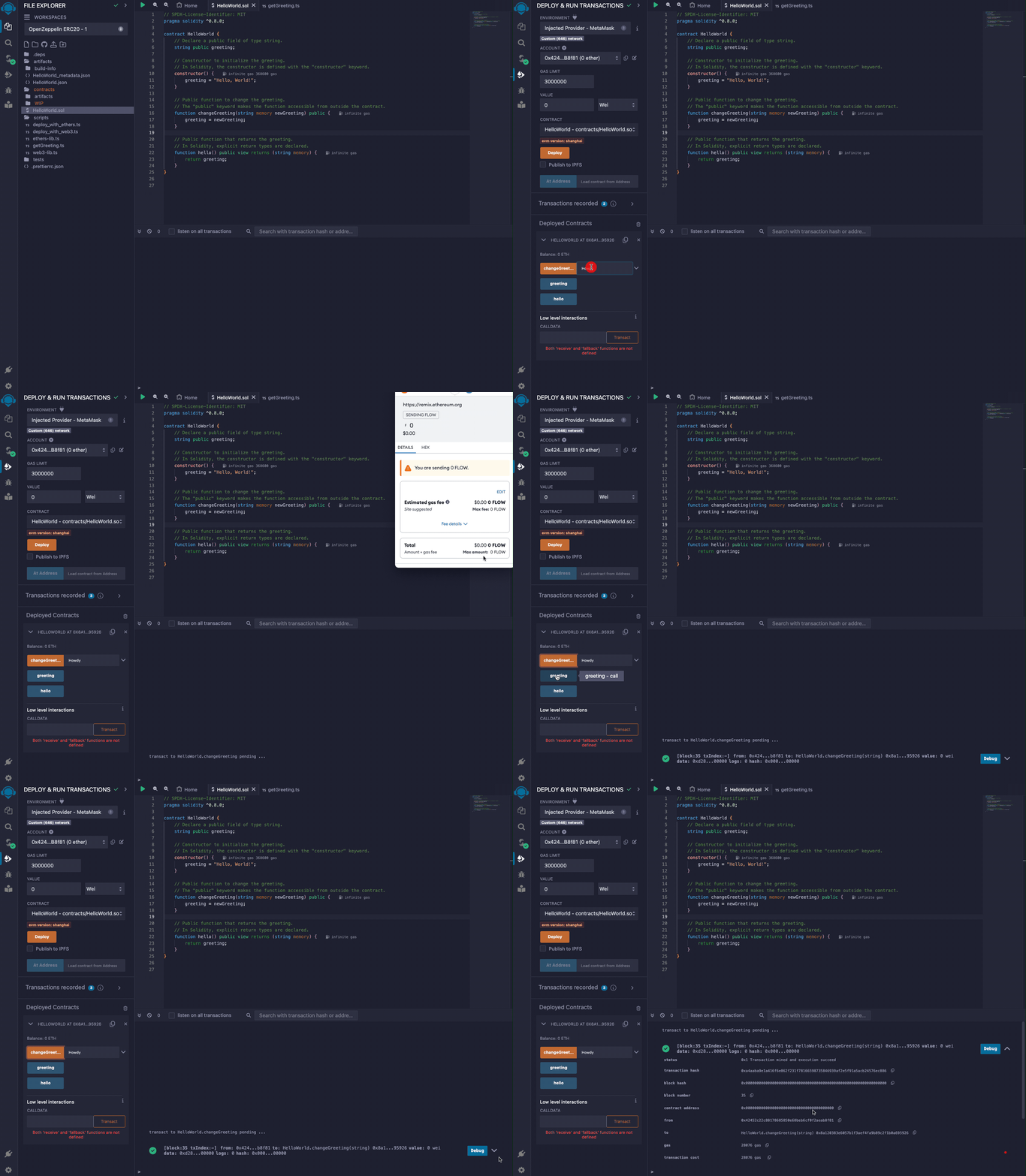
- Select the
HelloWorld.solfile. - Select the
Deploy and Run Transactionpage. - Make sure to select
Injected Provider - Metamaskin Environment dropdown. - Type a new greeting in the text input next to
changeGreeting. - Click
changeGreeting. - Sign the Metamask transaction.
- To verify the greeting changed, re-run the
get-greeting.jsscript above.